



Launch Recite Me assistive technology
An illustration of a high-tech industrial space in shades of pink, teal and yellow. Geometric pipes and a control panel with a dial create a structured, futuristic environment.

Portuguese Royal Studio makes Adobe tutorials look good (and simple!)

—
Date
14 October 2015

Online tutorials: necessary, helpful, but not too often particularly easy on the eye. Congratulations, then, to Portuguese agency Royal Studio, which has created some well-crafted imagery to illustrate a series of tutorials for various Adobe programmes. It makes sense really that tutorials for creative programmes should look great themselves, but alas it isn’t often the case.

Explaining the project, Royal Studio says: “There is a deep rationale when it comes to illustration: to understand the concept and context, to have fun and allow an energy blast, and to grow bigger with each motto — it is as scientifical [sic] and emotional as it gets.” It adds: “This series aims to be inspiring, daring, extremely visual and utterly respectful. A vertigo [sic] colour, code, abstract and technical adventure.”

An abstract illustration of overlapping geometric shapes in shades of blue, pink, and ochre. A grainy, light grey form curls over the others, accented by a small circle and thin black lines.
Above

Royal Studio: Adobe tutorial

A 3D render of abstract geometric shapes in red, cream and dark teal. A cream-coloured panel features a small Adobe Illustrator logo.
Above

Royal Studio: Adobe tutorial

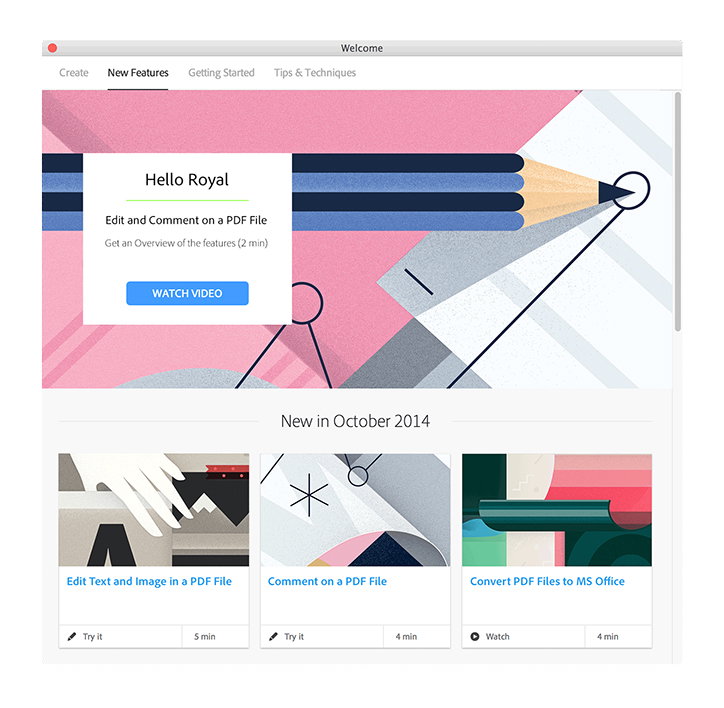
A screenshot of a software welcome screen featuring a pink and white geometric illustration of a pencil. A central pop-up reads “Hello Royal” and “Edit and Comment on a PDF File” with a “WATCH VIDEO” button. Below, a section titled “New in October 2014” shows three tutorial tiles for editing, commenting and converting PDF files.
Above

Royal Studio: Adobe tutorial

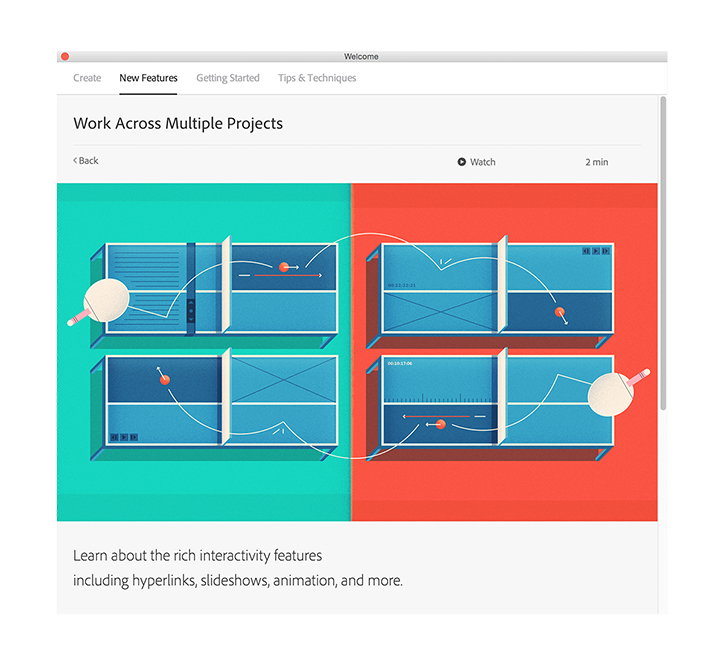
A screenshot of a website interface with the heading “Work Across Multiple Projects”. A central graphic shows four blue panels on a split red and teal background, connected by flowing white lines and red dots. Text below reads, “Learn about the rich interactivity features including hyperlinks, slideshows, animation, and more.”
Above

Royal Studio: Adobe tutorial

Share Article

About the Author

Emily Gosling

—

Emily joined It’s Nice That as Online Editor in the summer of 2014 after four years at Design Week. She is particularly interested in graphic design, branding and music. After working It's Nice That as both Online Editor and Deputy Editor, Emily left the company in 2016.


It's Nice That Newsletters

Fancy a bit of It's Nice That in your inbox? Sign up to our newsletters and we'll keep you in the loop with everything good going on in the creative world.